The Discord Token Wake-Up Call
A leaked Discord bot token forced a serious privacy check: what leaves the machine, what gets redacted, and where the real risks sit.
What happened
It was a normal setup session. I was configuring a Discord bot and... I pasted the bot token directly into the chat. The AI assistant (Dade) saw it. The session logged it. The daily memory tracker wrote it to disk.
In isolation, this is bad enough. But think about the chain:
- Token appears in chat
- Chat gets processed by the daily memory Python script
- Memory files sit on disk in
~/.hermes/memories/ - Any process on the machine could read them
- If any part of this chain sends data to the cloud, the token is compromised
The catch
Fortunately, the update_daily_memory.py script has a redact_sensitive() function:
def redact_sensitive(text: str) -> str:
    # Discord token pattern: xxxxx.yyyyy.zzzzz
    text = re.sub(r"\b[A-Za-z0-9_-]{20,}\.[A-Za-z0-9_-]{6,}\.[A-Za-z0-9_-]{20,}\b",
                  "[REDACTED_TOKEN]", text)
    # API key prefixes
    text = re.sub(r"\b(sk-[A-Za-z0-9_-]{16,})\b", "[REDACTED_KEY]", text)
    text = re.sub(r"\b(tvly-[A-Za-z0-9_-]{16,})\b", "[REDACTED_KEY]", text)
    return text
The token was caught and redacted before it hit the daily log files. But this was defensive security -- I got lucky. What I needed was proactive security.
The questions that changed everything
This incident forced a real conversation:
"How safe is this prompt chat? Does the information go anywhere outside of this PC?"
And then:
"Yes, add a strict-local mode."
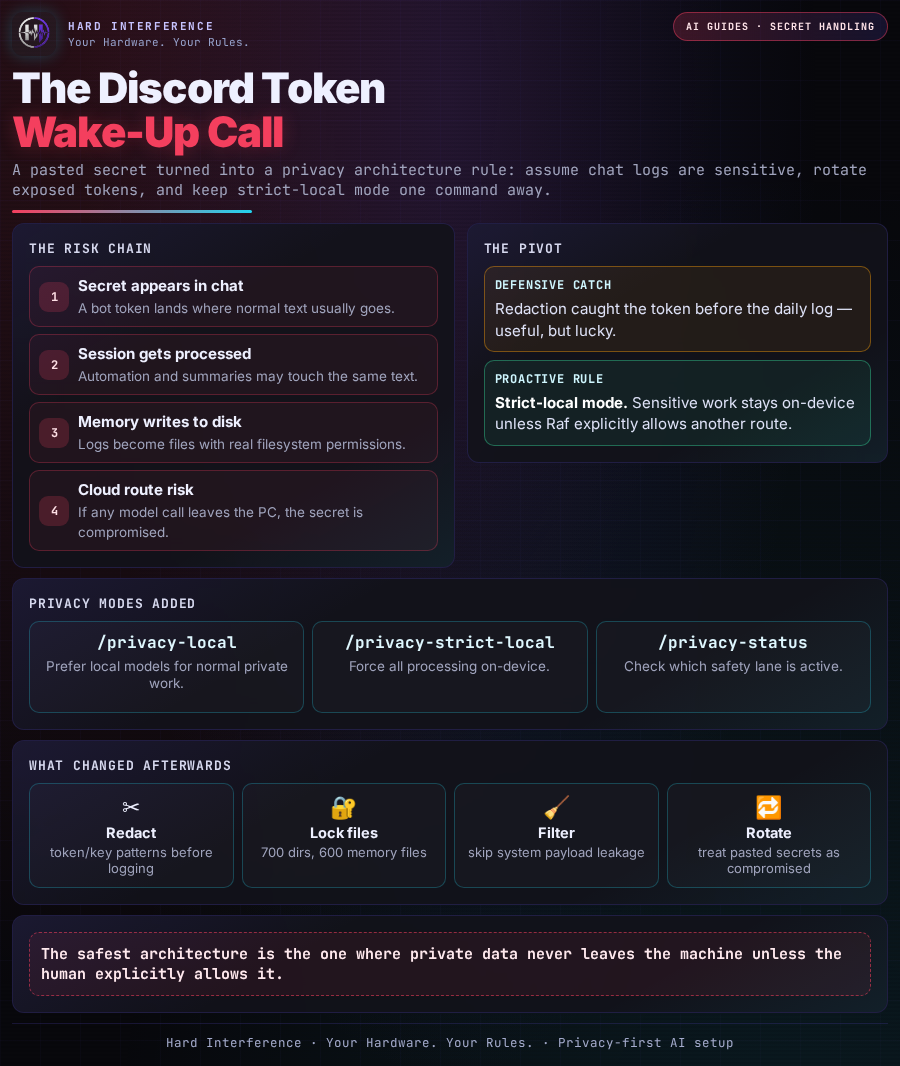
The risk chain — at a glance
This is the whole lesson in one view: a pasted secret is not just a bad line in chat. It can pass through session processing, memory writes, file permissions and model routing. Redaction helped, but the real fix was building a stricter privacy lane.
What I built
The response was comprehensive:
-
Privacy modes -- A shell script (
privacy-mode.sh) with quick commands:/privacy-local-- route everything through local models/privacy-strict-local-- force ALL processing on-device/privacy-cloud-- allow cloud with awareness/privacy-status-- check current mode
-
File permissions hardened:
- Memory directories:
700(owner-only access) - Memory files:
600(owner read/write only)
- Memory directories:
-
System message filtering -- Patched the memory tracker to skip messages starting with
[SYSTEM:to prevent cron payloads from leaking into conversation logs. -
Token rotation protocol -- The AI assistant now enforces: never ask the user to paste tokens in chat. If a secret appears, treat it as compromised and rotate immediately.
The lesson
Security isn't optional when your AI assistant can read your secrets.
Every piece of text you type into a prompt is processed, potentially logged, and potentially sent to a cloud API. If you're building a local AI setup, you need to treat the conversation history the same way you'd treat a terminal history file -- it contains everything you've said.
The safest architecture is the one where data never leaves your machine unless you explicitly allow it.
Found this useful? 👉 Follow @Raf_VRS for more Build Journal updates 👉 Support the work: ko-fi.com/rafvrs #SelfHosting #AIAgents #HardInterference