Building Mission Control (Or: How I Learned to Stop Worrying and Love the Dashboard)
How Mission Control turned token drain into visible numbers, exposed cost bugs, and proved you cannot cut what you cannot see.
The problem
One week in, I had one AI agent running 24/7 on my machine. Cron jobs firing every 5 minutes. Multiple models being used for different tasks. Token counts I couldn't see and costs I couldn't track.
I had no idea what was happening on my own machine. So I decided to build a Mission Control tool that gives me the information I was missing. You can call it what you want, but it becomes the nerve centre of your operation.
Version 1: The static HTML file
The first Mission Control was literally a single HTML file with hardcoded data. It showed model usage and a simple layout. It worked for a screenshot, but it couldn't answer the real question:
"What is my machine actually doing right now?"
Version 2: The real dashboard
With some beginner prompting, Dade rebuilt it as a proper Next.js app with a SQLite backend and API routes once the static version hit its limits. The features that matter:
- Model usage breakdown -- sessions, tokens, and estimated cost per model
- Live activity feed -- the last 10 events showing which model is currently processing what
- Model merging -- combining variants like
glm-5.1:cloudandglm-5.1into a single view - Daily memory dashboard -- conversation highlights and project status
The cost bug
While building the usage tracker, I found a bug in the cost estimation:
# BEFORE (wrong - using input tokens for output cost)
output_cost = (row.inputTokens / 1_000_000) * output_price_per_m

# AFTER (correct)
output_cost = (row.outputTokens / 1_000_000) * output_price_per_m
Input tokens are cheap. Output tokens are expensive (often 3-5x more). If you're calculating costs with the wrong formula, your numbers are wrong by a factor of 3 or more. This bug had been silently underestimating output costs since day one.
The visibility loop — at a glance
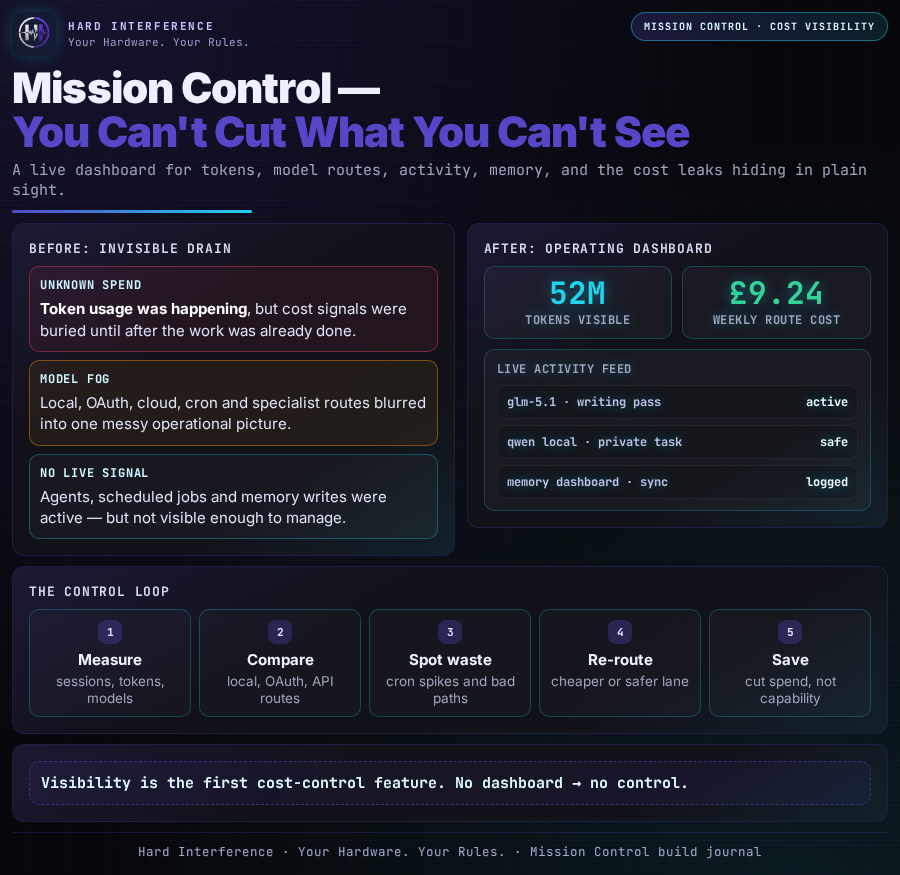
This is the whole point of Mission Control in one picture: cron jobs, agents, token usage and cost signals all feeding back into one dashboard, so I can see what is noisy, what is useful, and what needs cutting.
The killer feature: visibility
The most important feature of Mission Control isn't the charts or the live feed. It's that you can finally see what's happening.
Before the dashboard:
- "Is the healthcheck cron working?" → I don't know
- "Which model am I using the most?" → I don't know
- "How many tokens did yesterday's work cost?" → I don't know
After the dashboard:
- "Is the healthcheck cron working?" → Yes, I can see 533 runs this week
- "Which model am I using the most?" → glm-5.1 at 45% of all sessions
- "How many tokens did yesterday cost?" → 10.6M tokens, mostly from cron jobs!!!
You can't cut what you can't see. Making usage visible was the precondition for every cost optimisation that followed.
Current state
Mission Control runs on localhost:3000, auto-polls every 15 seconds, and is the first thing I check in the morning. It's ugly but it works. That's the right priority order.
Found this useful? 👉 Follow @Raf_VRS for more Build Journal updates 👉 Support the work: ko-fi.com/rafvrs #SelfHosting #AIAgents #HardInterference